Getting Started

Feature Spotlight: Lit Buildings in FiberLocator

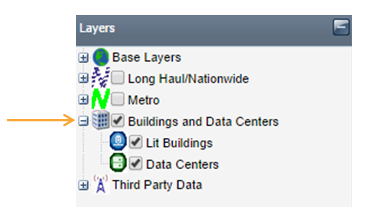
In addition to showing you fiber lines, FiberLocator enables you to search and map lit building and data center locations as well. With the click of a button, you can see the physical location of “on-net” buildings and the carriers that currently connect to the building. This intel is also available for data centers and […]
New Feature in FiberLocator: Zoom to Extent

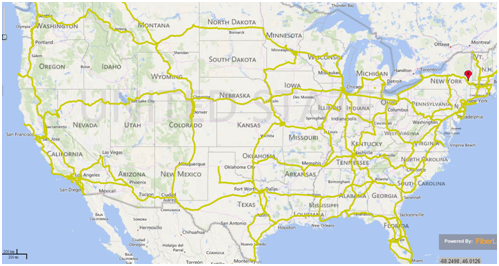
FiberLocator has released a feature in the fiber location tool that allows you to view the entire range of a particular carrier’s fiber network coverage, using the “Zoom to Extent” tool. The zoom feature enables efficient research in fiber mapping with the ability to easily identify the total footprint and area of a specific carrier. […]

FiberLocator Tip: Have You Tried the “Save Session” Feature?

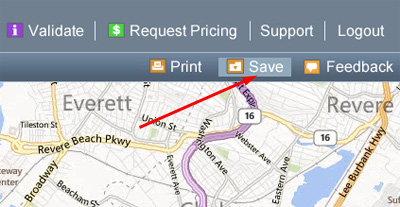
We know that sometimes you are trying to do many things at once. If you are searching in FiberLocator and you get interrupted or need to step away, did you know you can save your session? Save Feature: If you would like to save your session, simply click on the save button in the upper […]

FiberLocator Tip: How Do I Change My Password?

Users of FiberLocator often contact us trying to find where they can change their password through the FiberLocator website. There actually is no function to change your password. For security reasons, we don’t have this capability built into the tool and we don’t change them. The password you received when you first became a user […]

Introducing FiberLocator Training

First there was the telephone… Then came email… Finally, the smartest, easiest and most complete way to do telecom network research was born — FiberLocator! FiberLocator is growing by leaps and bounds, and many are curious to know more about the unique, searchable online telecom research database. FiberLocator maps thousands of “lit” buildings, data centers […]

My Password Doesn’t Work!

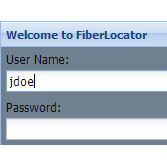
Keep in mind that all usernames and passwords are case sensitive. Be sure your caps lock is off as you enter your login information. We recommend you NOT cut/paste passwords as sometimes this causes extra spaces or characters that cause the issues. Usernames are in all lower case letters, and passwords adhere to the following format: […]

I’m in FiberLocator – how do I see the fiber lines?

The fiber maps in FiberLocator each function as separate layers on the map. To view these layers, you need to turn them on. You can do so by checking the boxes in the “Layers” section of FiberLocator in the top left. You can turn on all carriers at once by using the check boxes next […]